


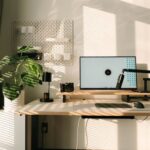
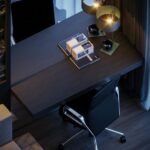


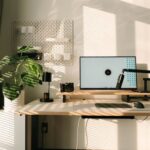
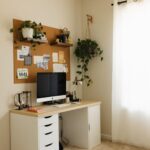
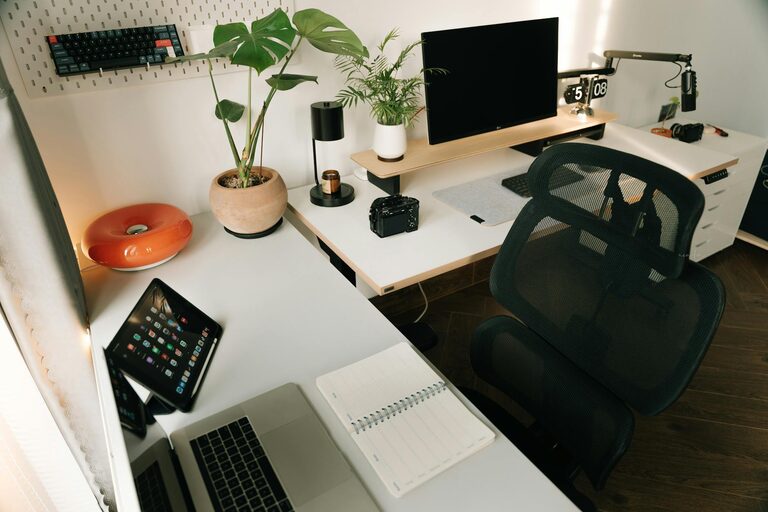
Creating a well-organized home office is essential for staying productive and comfortable while working from home. A cluttered or poorly arranged workspace can cause distractions, discomfort, and decreased motivation. Fortunately, organizing your home office can be simple and enjoyable with the right approach. In this post, we’ll share easy, effective tips to help you set up a functional and inviting home office that supports your work goals.
Assess Your Space and Needs
Before you start organizing, take a moment to evaluate your current workspace and consider what you need.
– Identify your priorities: Do you mainly work on a computer, take calls, or use physical files?
– Measure your space: Knowing your available wall space, desk area, and floor room helps in choosing furniture and storage.
– Consider comfort: Make sure your chair and desk height support good posture.
Understanding your unique needs will guide you in creating a customized setup that works well for you.
Declutter for a Clear Mind
A neat workspace helps minimize distractions and promotes clear thinking.
– Sort through papers: Shred or recycle what you don’t need and file essential documents.
– Limit desktop items: Keep only frequently used tools, like pens, notebooks, or your computer.
– Remove unrelated items: Avoid storing personal or unrelated materials in your work area.
Decluttering regularly—weekly or monthly—can maintain a tidy environment over time.
Organize Efficiently with Smart Storage
Good storage solutions keep everything accessible and organized without overwhelming the space.
Use Vertical Storage
– Wall shelves and pegboards make use of empty vertical space.
– Hang organizers for documents, supplies, or even small plants to bring life to your office.
Invest in Drawers and Containers
– Drawer units under or beside your desk provide hidden storage.
– Use labeled containers or trays for smaller items like paper clips, chargers, or sticky notes.
Create Zones
– Designate specific areas for tasks, like a computer zone, a paper filing zone, and a supply zone.
– This division helps keep movement flow smooth and reduces mixing clutter.
Prioritize Ergonomics
Comfort is key for long periods of sitting and working.
– Choose an adjustable chair with lumbar support.
– Position your monitor at eye level to avoid neck strain.
– Use a keyboard and mouse that feel comfortable.
– Consider a standing desk or desk converter to change positions throughout the day.
Adding a soft rug or footrest can also improve comfort.
Optimize Lighting
Good lighting reduces eye strain and keeps energy levels up.
– Place your desk near a window to get natural light.
– Use adjustable desk lamps to brighten your workspace when needed.
– Avoid harsh overhead lighting; soft, warm bulbs create a pleasant atmosphere.
If natural light isn’t available, daylight bulbs offer a good substitute.
Personalize Your Space
Making your office inviting boosts mood and motivation.
– Add a few decorative items like artwork, plants, or photos.
– Choose colors you find calming or inspiring.
– Use an essential oil diffuser or a small speaker for background music to create a pleasant ambiance.
Remember to keep personal touches minimal so they don’t distract from work.
Manage Cables and Technology
Tangled cables can quickly create clutter and frustration.
– Use cable clips or sleeves to bundle cords neatly.
– Label chargers and cords for easy identification.
– Keep tech essentials like chargers and external drives in designated spots.
Regularly update or clean your devices to maintain smooth operation.
Establish Daily Habits to Maintain Order
Organization is a continuous process. Simple habits can keep your office neat:
– Clear your desk at the end of each day.
– File papers immediately after use.
– Regularly review your space and adjust as needed.
– Set reminders for decluttering sessions.
Over time, these small habits make staying organized effortless.
Conclusion
Organizing your home office doesn’t have to be overwhelming. By assessing your needs, decluttering, using smart storage, and prioritizing comfort, you can create a workspace that helps you work efficiently and feel comfortable. Adding good lighting, personal touches, and managing cables will further enhance your environment. Finally, maintaining daily habits will keep your office organized long term. Try these simple tips to turn your home office into a productive and enjoyable place to work.